Send email from Node.js with Runearc
One package, no runtime dependencies. This page installs it, sends an email to a test inbox, reads it back and verifies a signed webhook, with the output of a real run.
npm install runearcNot published yet: this is the command that will work after the release. See the SDK page for the status of every package.
Install
Node.js 18 or later, with Bun, Deno and edge runtimes also supported. The commands on this page are the ones that will work once the package is released; none of the five Runearc SDK packages is on a registry yet, and until then the Resend SDK or plain HTTP calls with your API key do the same work. pnpm, yarn and bun work the same way. Already using Resend? In our test, the official resend npm package, with RESEND_BASE_URL set to your Runearc API URL ending in /v1 in the environment before it loads, sent an email and fetched it back through Runearc (emails.send and emails.get) on a real API. We did not test anything else through that package. The SDK covers emails, senders, inboxes, messages, threads, conversations, domains, webhooks, keys, suppressions and events. Contacts, lists, campaigns, sequences, templates, forms, pages and analytics are not in it: use the REST API, the CLI or MCP for those.
npm install runearcCreate an API key in the dashboard and export it as RUNEARC_API_KEY. The quickstart below also reads RUNEARC_FROM, a sender address on a domain you have verified, and RUNEARC_BASE_URL to point at another API host. Tested on Node 24.18.
Send an email
The whole quickstart: create an inbox, send an email to it, wait for it to arrive and check a webhook signature.
import { createHmac, randomBytes } from "node:crypto";
import { Runearc, verifyWebhook } from "runearc";

const runearc = new Runearc(); // reads RUNEARC_API_KEY and RUNEARC_BASE_URL

const inbox = await runearc.inboxes.create({ display_name: "quickstart" });
console.log("inbox", inbox.address);

const subject = `Hello from the Node SDK ${randomBytes(3).toString("hex")}`;
const sent = await runearc.emails.send({
  from: process.env.RUNEARC_FROM,
  to: inbox.address,
  subject,
  text: "It works.",
});
console.log("sent", sent.id);

const waited = await runearc.messages.wait(inbox.id, { subject, after: inbox.created_at, timeout: 30 });
if (!waited) throw new Error("no message arrived within 30 seconds");
console.log("received", waited.message.subject);

// Sign a sample event the way Runearc does (Standard Webhooks), then verify it.
const secret = `whsec_${randomBytes(32).toString("base64")}`;
const payload = JSON.stringify({ id: "evt_1", type: "message.delivered", data: { email_id: sent.id } });
const timestamp = String(Math.floor(Date.now() / 1000));
const key = Buffer.from(secret.slice("whsec_".length), "base64");
const signature = createHmac("sha256", key).update(`evt_1.${timestamp}.${payload}`).digest("base64");
const headers = { "webhook-id": "evt_1", "webhook-timestamp": timestamp, "webhook-signature": `v1,${signature}` };
await verifyWebhook({ payload, headers, secret });
console.log("webhook verified");

await runearc.inboxes.delete(inbox.id);
emails.send takes the same field names as the REST API and returns the new email's id. It sends an Idempotency-Key for you, so a retry does not send twice. Passing after: inbox.created_at to wait is needed because wait only matches messages received after it starts, and the email can arrive before the wait begins.
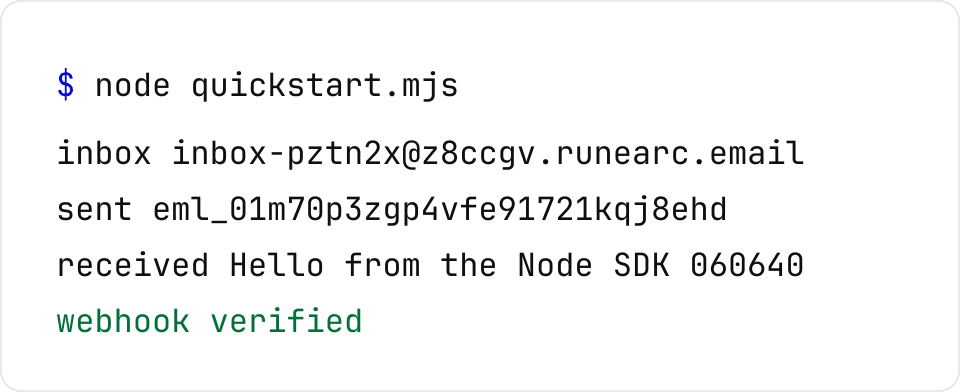
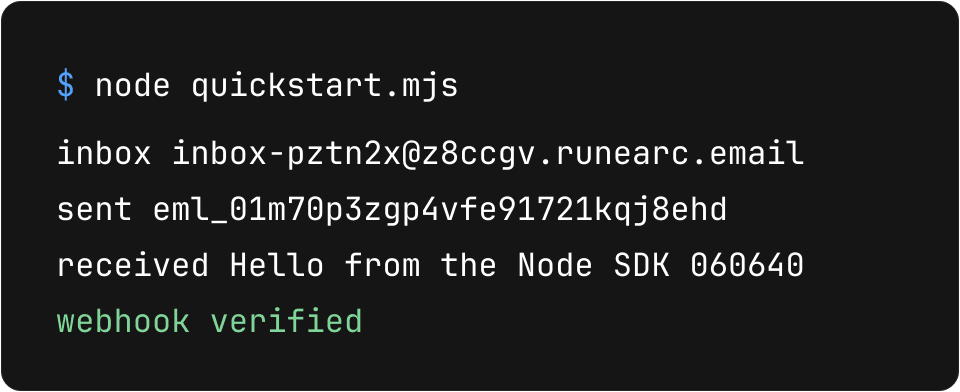
The same output as selectable text
inbox inbox-pztn2x@z8ccgv.runearc.email
sent eml_01m70p3zgp4vfe91721kqj8ehd
received Hello from the Node SDK 060640
webhook verified
Ids and the inbox address are from that one run, on November 9, 2026.
Read an inbox
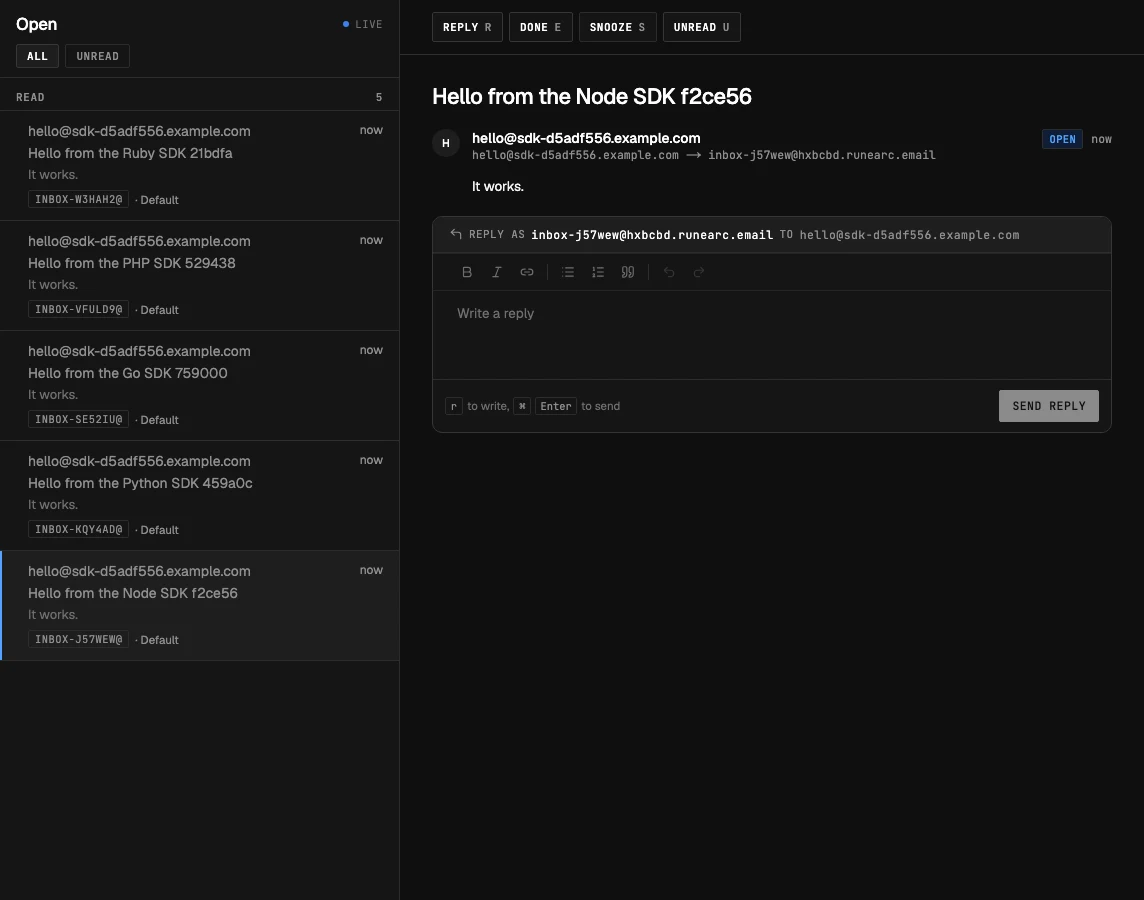
messages.wait blocks for up to timeout seconds and resolves null when nothing arrived, so check for it. When a message matches, it comes back with the one time codes and links already extracted, which is what a sign-up test or an agent needs. The screenshot shows the same inbox in the dashboard. See wait for an email for every filter.
const waited = await runearc.messages.wait(inbox.id, { subject, after: inbox.created_at, timeout: 30 });
if (!waited) throw new Error("no message arrived within 30 seconds");
console.log("received", waited.message.subject);
// waited.codes and waited.links hold the one time codes and links found in the message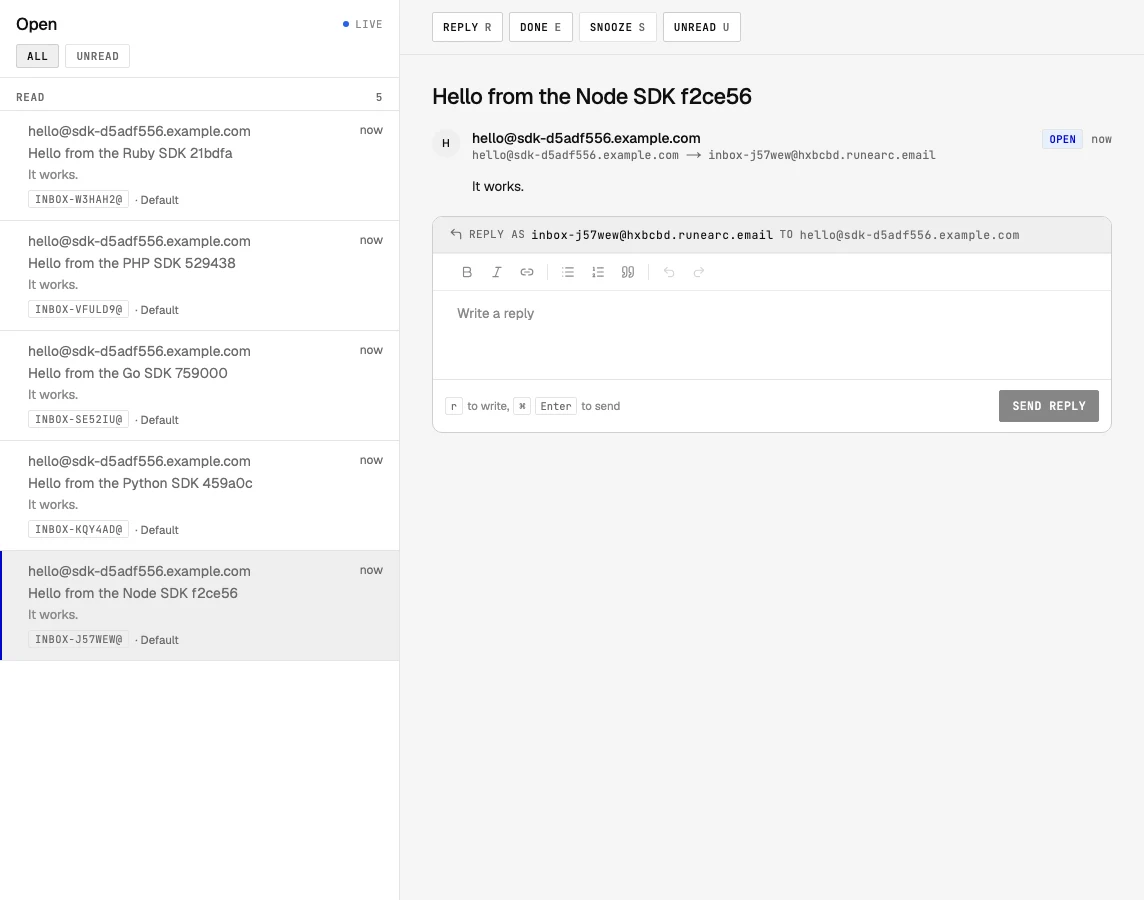
Verify a webhook
The line in the quickstart verifies a sample event the script signs itself with a random secret. It is not a live delivery from Runearc; it shows that verifyWebhook accepts a correctly signed body and checks the timestamp, which must be within five minutes. For a real delivery, pass the raw request body and the three webhook-* headers, as in the receiver tab.
const headers = { "webhook-id": "evt_1", "webhook-timestamp": timestamp, "webhook-signature": `v1,${signature}` };
await verifyWebhook({ payload, headers, secret });
console.log("webhook verified");
import { verifyWebhook, WebhookVerificationError } from "runearc";
export async function POST(req: Request) {
const payload = await req.text(); // the raw body, not re-serialized JSON
try {
const event = await verifyWebhook({ payload, headers: req.headers, secret: process.env.RUNEARC_WEBHOOK_SECRET! });
if (event.type === "message.received") {
// event.data.message_id, event.data.inbox_id, ...
}
return new Response(null, { status: 204 });
} catch (e) {
if (e instanceof WebhookVerificationError) return new Response(e.message, { status: 400 });
throw e;
}
}The first tab is from the quickstart we ran. The receiver is from the package README and was not part of that run. The signature headers and the secret format are on the webhooks page.
Errors and retries
Methods return the parsed response and throw a RunearcError; there is no data and error wrapper. It carries status, a stable code to branch on, a message, and a fix when there is something to do, plus a kind such as forbidden or rate_limited.
import { Runearc, RunearcError } from "runearc";

try {
  await runearc.emails.send({ from: "noreply@acme.com", to: "bob@example.com", subject: "Hi", text: "Hi" });
} catch (e) {
  if (e instanceof RunearcError) {
    console.log(e.status); // 403
    console.log(e.code);   // "sender_not_verified", a stable string to branch on
    console.log(e.fix);    // what to do about it, when there is something to do
  }
  throw e;
}

// A stable key makes your own retries safe too, for example from a job queue.
await runearc.emails.send(email, { idempotencyKey: `welcome/${user.id}` });
A request is retried up to two times by default, with exponential backoff and jitter, and the wait honours Retry-After. A 429 is always retried; a 5xx, a network error or a timeout is retried only when repeating the request is safe. Other 4xx errors are never retried, and creating an inbox is not repeated after a 5xx. Mail sending gets an Idempotency-Key automatically and every retry reuses it; Runearc remembers keys for 24 hours.
This code is from the package README, not from the quickstart run. Every error code and its fix is listed on the errors page.
Where other SDKs are better
Read on November 9, 2026. Runearc's SDK is new and covers eleven resources; the others have longer histories and, in several cases, more features. We list them in alphabetical order.
Mailgun
Mailgun lists SDKs for Go, Node.js, PHP, Java, Ruby and Python. Its page does not say which are officially maintained.
Nodemailer over SMTP
For plain SMTP from Node, Nodemailer is the usual choice; Mailtrap's tutorial on sending email from Node.js, which we read, is built around it. It works with any SMTP relay, including Runearc's.
Postmark
Postmark lists official Node.js and TypeScript libraries that Postmark maintains itself.
Resend
Resend's Node SDK is the established one for this API shape. Its docs link worked examples for attachments, templates, scheduling, audiences, domains, inbound webhooks and framework apps; Runearc's SDK has no templates or audiences. Verifying its webhooks uses svix-id, svix-timestamp and svix-signature headers (verify-webhooks-requests page).
Maturity and deliverability track record are where Runearc is behind: the providers above have sent email for longer than we have. For the same comparison across the whole product, see Runearc compared with Resend.
Questions
Is the runearc package on npm yet?
Not yet. The package is written and tested, and npm install runearc is the command that will work after the release. Until then, call the API with fetch, or use the Resend package as described above.
Can I keep using the resend package?
For sending and reading an email back, yes. In our test, the official resend npm package, with RESEND_BASE_URL set to the Runearc API URL ending in /v1 before it loads, sent an email and fetched it back through Runearc. We did not test batch, scheduling, inboxes or webhook verification through the resend package, and its webhook headers (svix-*) differ from Runearc's (webhook-*).
Which runtimes does it run on?
Node 18 or later, Bun, Deno, Cloudflare Workers, Vercel Edge and Netlify Edge. It uses the global fetch and Web Crypto and has no runtime dependencies. We ran the quickstart on Node 24.18. On Node 18, verifyWebhook needs Web Crypto passed in; the README shows how.
Is the webhook line in the quickstart a real delivery?
No. The script signs a sample event with a random secret, the way Runearc signs deliveries, and then verifies it. It shows that verification works; it does not show a delivery from Runearc.
Does the SDK cover contacts, campaigns or sequences?
No. It covers emails, senders, inboxes, messages, threads, conversations, domains, webhooks, keys, suppressions and events. Everything else is in the REST API, the CLI and MCP.
Read next
Put Runearc to work
Get inboxes, sending, your own domains and MCP in one workspace. The free plan includes 3 inboxes, 3,000 emails a month and 3 custom domains, with no card.