Front alternatives: shared inboxes and help desks, priced
Front is a full customer service platform: shared inboxes, ticketing, omnichannel, rules and AI, priced per seat. This shortlist puts Help Scout, Hiver and Missive next to it and says when Front is still the right call.
Updated 6 min read
On this page (8)
Front is a full customer service platform: a shared inbox with ticketing, automation rules, analytics, a knowledge base and AI, and on the higher plans “omnichannel (email, SMS, social, WhatsApp, etc.)” [1], with “160+ integrations” [2]. Its price is per seat. Most people looking for an alternative want another help desk, so the list below is help desks and shared inbox tools, priced from each vendor's own page. We make Runearc, so it sits in its own labelled box, not in the list; it only covers the email shared inbox part of Front. More switch guides are on the alternatives index.
Front alternatives at a glance
Listed alphabetically. Prices come from each provider's own page, listed in the sources.
Swipe sideways to see every column.
| # | Option | Best for | Free plan | First paid plan |
|---|---|---|---|---|
| 1 | Help Scout | A help desk with a knowledge base, live chat and AI answers, with a free plan | 5 users, 1 inbox, 1 Docs site | Standard, $25 per user a month |
| 2 | Hiver | Email support run from inside Gmail or Google Workspace | 7 day trial of Elite | Growth, $25 per user a month billed annually, $35 monthly; 2 seats minimum |
| 3 | Missive | Team inboxes for email, SMS and social accounts at a low per user price, up to 5 users on Starter | 30 day trial | Starter, $14 per user a month billed yearly |
Runearc and Front, feature by feature
The Runearc prices below come from our pricing page. Paid plans are billed monthly in USD, and the free plan needs no card.
Swipe sideways to see the Front column.
| Feature | Runearc | Front |
|---|---|---|
| Price | Free for 3 inboxes; Pro $9 a month; not per seat | Starter $25, Professional $65, Enterprise $105 per seat a month, billed annually [1] |
| Free plan or trial | Free plan, no card | 14 day trial of Professional, no card [1] |
| Shared inbox with assignment | Assign, close, snooze and reply in thread | Shared inbox and ticketing [1] |
| Internal comments and shared drafts | Yes [1] | |
| Macros and automation rules | Up to 10 rules on Starter; macros and 20 rules on Professional [1] | |
| Channels | Email on Starter; SMS, social and WhatsApp on Professional and up [1] | |
| Knowledge base | Basic on Starter, customizable on Professional [1] | |
| AI in the inbox | Copilot, $20 per seat a month, included on Enterprise [1] | |
| Where the mail comes from | Inboxes that receive on your domain | Connected mailboxes such as Office 365 and Gmail, or custom [1] |
| App email and agent inboxes | API, SMTP, templates and MCP in the same account | Not stated |
Prices at three team sizes
People who answer the shared inbox, on Front's cheapest plan that fits. Runearc does not count people; the rows assume the replies stay under each plan's monthly sends.
Swipe sideways to see the Front column.
| Feature | Runearc | Front |
|---|---|---|
| 3 people, 1 shared address | Free | Starter, 3 seats at $25 = $75 [1] |
| 10 people, 3 shared addresses | Free, or Pro at $9 past 3,000 sent emails | Starter, 10 seats = $250 [1] |
| 25 people, 10 shared addresses | Pro, $9 | Professional, 25 seats at $65 = $1,625; Starter stops at 10 seats [1] |
Runearc costs less at every size, because it does much less. Front's seat price buys internal comments, macros, rules, analytics, a knowledge base and more channels [1]. If your team uses those every day, the comparison is with the other help desks above, not with Runearc.
What each does, and does not do
Front does: a shared inbox with ticketing, internal comments and shared drafts, automation rules and macros, analytics, a knowledge base, AI add ons, and SMS, social and WhatsApp on Professional and up [1], with 160+ integrations [2] and an API [3].
Front does not have a free plan; Starter is single channel and capped at 10 seats [1]. We found no app sending or inboxes for agents on the pages we read; it is built for people answering customers.
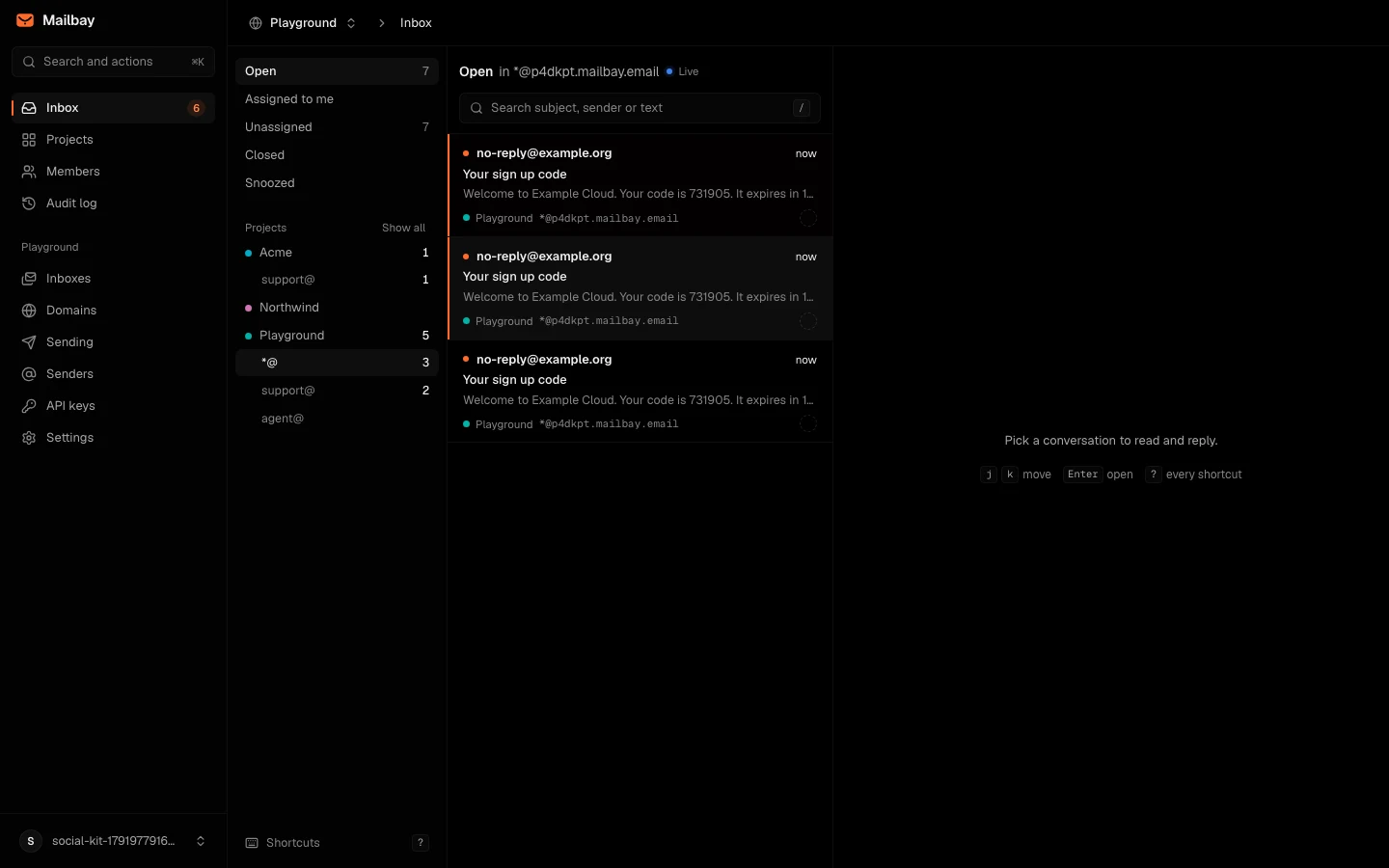
Runearc does: inboxes on your domain that a team reads in one shared inbox, with an owner per conversation, close and snooze, replies in thread, keyboard shortcuts, roles that limit a teammate to some inboxes, IMAP for mail apps, app sending over the API or SMTP, and agent inboxes over MCP.
Runearc does not have internal notes, canned replies, ticket numbers, SLA targets, labels, a knowledge base, chat, SMS or social channels, a mobile app, or an import for old mail.
When Front is the better pick
- Your team works tickets together, with internal comments, shared drafts and macros [1].
- Customers reach you on more than email: SMS, social or WhatsApp [1].
- You report on performance, CSAT and SLAs, or route with AI [1].
- Your mail lives in Gmail or Office 365 and should stay there, with Front on top [1].
- You depend on integrations with your CRM and other tools [2].
When Runearc is the better pick
- Two to a few people answer support@, and one owner per conversation is all the process you need. See support@ on your own domain.
- Seats are the cost problem. Runearc is priced by inboxes and sent email, not people.
- Your product sends email from the same domain: sign up codes, receipts, resets.
- An AI agent drafts or sends replies through the API or MCP.
Moving a shared address from Front
- Pick the address that moves, such as
support@. Runearc has no import, so Front or the original mailbox stays your archive. - Add the domain to Runearc and create an inbox for the address. If people's own mail stays where it is, receive on a subdomain such as
help.yourdomain.com; see domains that already receive mail. - Invite the people who answer it, with a role that limits them to that inbox; see the shared inbox.
- Move the mail flow: point the MX for the address's domain at Runearc, then remove the channel in Front once new mail arrives in Runearc.
- Check it with the free domain check and one message to the deliverability test.
help.example.com   MX 10  mx.runearc.com
help.example.com   TXT    "v=spf1 ... ~all"   # the SPF value Runearc lists
# plus the DKIM, DMARC and bounce records Runearc shows for the domain
Other pages in this format: Help Scout alternatives, Google Workspace alternatives and Zoho Mail alternatives.
Sources, read on November 19, 2026
- [1]Front pricing: front.com/pricing
- [2]Front product: front.com/product
- [3]Front developer docs: dev.frontapp.com/
- [4]Help Scout pricing: www.helpscout.com/pricing/
- [5]Hiver pricing: hiverhq.com/pricing
- [6]Hiver in Gmail pricing: hiverhq.com/pricing/hiver-in-gmail
- [7]Missive pricing: missiveapp.com/pricing
Prices change. If something here is out of date or wrong, email hello@runearc.com and we will fix it.
Questions
How much does Front cost?
On November 19, 2026 Front lists Starter at $25 per seat a month for up to 10 seats, Professional at $65 for up to 50, and Enterprise at $105, billed annually. There is a 14 day trial of Professional with no card, and no free plan. AI Copilot is a $20 per seat add on below Enterprise.
Is Runearc a replacement for Front?
Only for a small team that needs one shared email inbox. Runearc has assignment, close, snooze and replies in thread, but no internal comments, macros, SLAs, knowledge base, chat, SMS or social channels. If your team uses those, stay on Front or pick another help desk from the list.
Does Runearc charge per seat?
No. Plans are priced by inboxes, emails sent and domains, and received mail never counts. The free plan has 3 inboxes; Pro is $9 a month for 25 inboxes and 50,000 sent emails.
Can I bring my Front history to Runearc?
No. Runearc has no import for old conversations, so keep Front or the original mailbox as the archive and move only new mail.
Read next
- Help Scout alternatives: help desks and shared inboxes, pricedHelp Scout is a full help desk: shared inboxes, notes, saved replies, a knowledge base, live chat and AI answers, priced per user with a free plan. This shortlist puts Freshdesk, Front and Missive next to it and says when Help Scout wins.
- support@ on your own domain, without Google WorkspaceMost small SaaS products need two or three shared addresses, not a seat per person. Here is how to run support@ on your domain, keep the mail you already have, and answer from a shared inbox or Apple Mail.
- PricingA generous free plan, Pro and Scale plans and a bill estimator.
Put Runearc to work
Get inboxes, sending, your own domains and MCP in one workspace. The free plan includes 3 inboxes, 3,000 emails a month and 3 custom domains, with no card.